Amplifier Setup Mistakes That Quietly Ruin Your Sound

An amplifier is a forgiving piece of equipment, but it is not immune to its surroundings. Small mistakes in placement, connection or care can quietly hold back its performance, and because the effect builds gradually, many listeners never realise what they are missing. Avoiding a handful of common errors is often the cheapest upgrade you will ever make.
Trapping the Heat
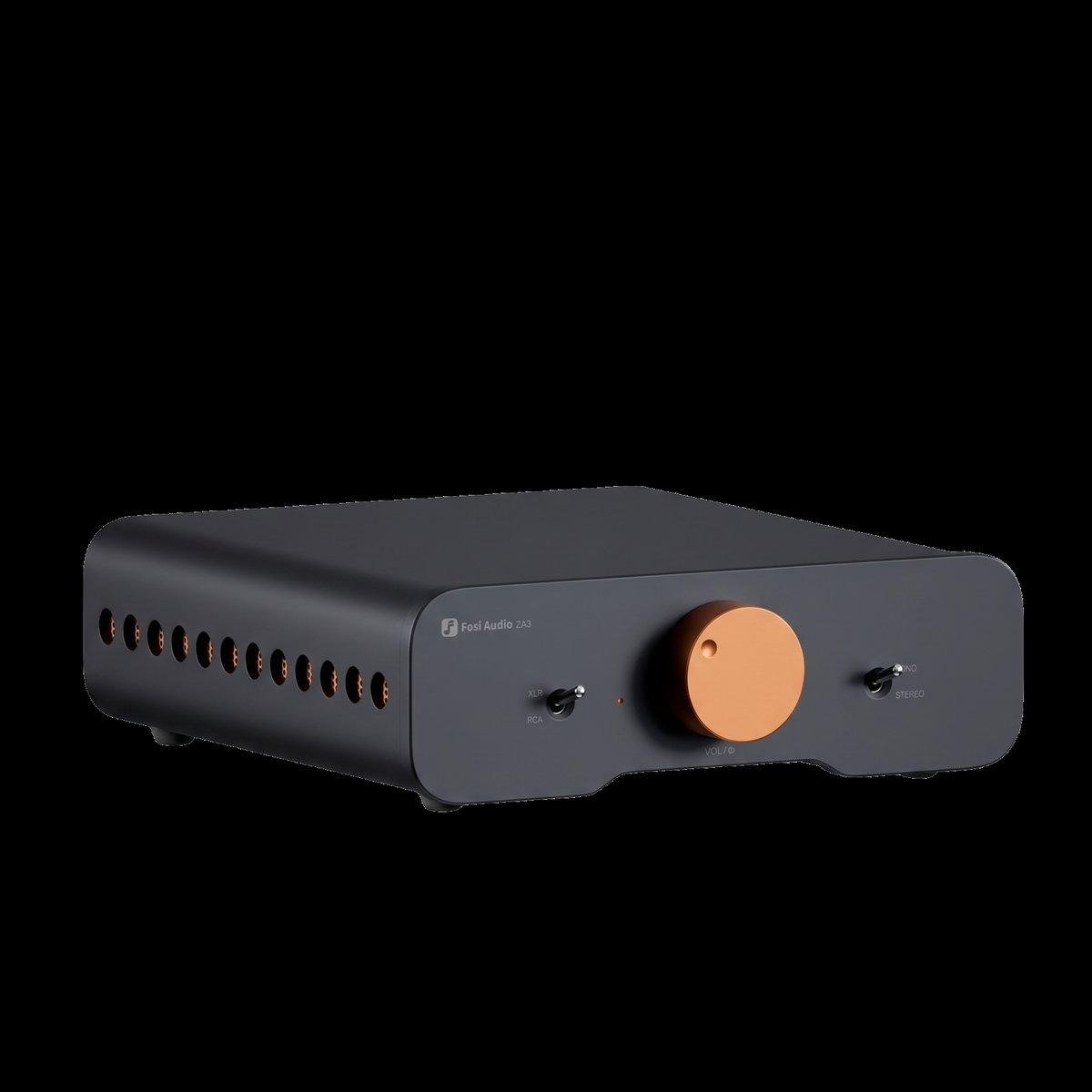
Amplifiers generate heat, and heat is their enemy. The most common mistake is placing an amplifier inside a closed cabinet with no airflow, or stacking other equipment directly on top of it. The amplifier runs hotter, its components age faster, and in extreme cases it shuts down to protect itself.
Give your amplifier open space above and around it. A ventilated shelf or an open rack is ideal. If the amplifier must sit inside furniture, make sure there is a gap above it and some way for warm air to escape. Good ventilation costs nothing and protects your investment for years.
Loose and Dirty Connections
A loose speaker connection is a quiet saboteur. It can cause intermittent sound, distortion or a channel that cuts out without warning. Check that speaker cables are firmly tightened and that bare wire ends are not fraying or touching each other, which can short the amplifier’s output.
Connections also benefit from an occasional clean. Dust and oxidation build up slowly on terminals and plugs, and a gentle clean with a dry cloth keeps the signal path clear. This is a small job that takes minutes and is worth doing whenever you rearrange your system.
Running Cables Alongside Power Leads
Signal cables and mains cables do not mix well. When an interconnect runs parallel to a power lead for a long distance, it can pick up hum and interference. The fix is simple: keep them apart where you can, and where they must cross, let them cross at a right angle rather than running alongside each other.
Speaker cables are less sensitive than interconnects, but the same principle helps. A tidy layout with separated cables looks better and sounds better, and it makes future changes far easier.
5 Setup Mistakes to Avoid With Your Amplifier
- Blocking ventilation by stacking equipment or closing it in a cabinet.
- Leaving speaker connections loose, frayed or touching.
- Running signal cables parallel to mains power leads.
- Placing the amplifier on an unstable or vibrating surface.
- Ignoring dust: a gentle clean keeps terminals and vents working properly.
The Wrong Surface
An amplifier deserves a stable, level surface. Placing it on a wobbly shelf or a surface that vibrates can transmit noise into the system, and it risks the amplifier being knocked. A solid shelf or a dedicated audio rack is ideal, and it also makes ventilation easier to arrange.
Vibration from nearby speakers can also reach the amplifier if they share the same surface. Keeping the amplifier on its own shelf, away from direct contact with speaker cabinets, is a simple precaution that costs nothing.
Forgetting the Basics of Care
Amplifiers need little maintenance, but a little goes a long way. Keep the vents free of dust, avoid placing drinks on top of the unit, and switch it off when you will not be using it for a long time. If your amplifier has a standby mode, use it for short breaks and switch off fully for longer absences.
Also, resist the urge to leave the volume high when you switch the system on. Start low and raise the volume gradually, which protects both the amplifier and your speakers from sudden surges.
When to Seek Professional Help
Most amplifier setup is straightforward, but some situations call for a professional. If your amplifier repeatedly shuts down, smells of burning, or makes a loud buzz through the speakers, switch it off and seek advice rather than continuing to use it. These symptoms can indicate a fault that needs proper diagnosis.
A dealer or a qualified repair technician can also help with trickier questions, such as matching an unusual speaker load or integrating an amplifier into a complex multi-room system. Paying for an hour of expert advice is often cheaper than replacing equipment damaged by guesswork, and it brings peace of mind.
Frequently Asked Questions
How often should I clean my amplifier?
A light dusting of the vents and a check of the connections every few months is enough. Avoid opening the case or using liquids inside the unit.
Can I leave my amplifier switched on all the time?
You can, but it wastes energy and generates heat unnecessarily. Standby mode is fine for short breaks, and switching off fully is best for longer periods.
Why does one channel sound quieter than the other?
Check the speaker connections first, then swap the left and right inputs to see if the problem follows the cable or stays with the channel. Loose or dirty connections are the most common cause.
See also: How Innovative Physiotherapy Techniques Improve Pain Management
Final Thoughts
Most amplifier problems are not faults at all, but the result of heat, loose connections or careless placement. A little ventilation, tidy cabling, a stable surface and an occasional clean are all it takes to keep an amplifier performing as it should. Get the setup right, and your amplifier will reward you with clean, reliable sound for many years, without ever asking for attention in return.
It is worth checking the setup once a year, even if everything sounds fine. A short annual check is a habit worth keeping. Connections can loosen slowly, dust can gather in vents, and a shelf can shift over time. A short annual check keeps small issues from becoming real problems, and it takes only a few minutes of your time.